


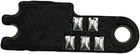


Solo 3 Power Button Replacement for Beats 3 Headphones ON/Off...
$ 10.4
Description
Solo 3 Power Button Replacement for Beats Solo 3 Headphones Power ON/Off Key, Solo3 Power Key Button incl Repair Kit Product Details Connectivity Technology: Wired Special Feature: Beats Solo3, A1796 Included Components: Beats Solo 3 Headphones Power Key Button Age Range (Description): Adult Material: Plastic Compatible Devices: Beats Solo3 A1796, Beats Solo3, Beats Solo 3 A1796, Beats Solo 3 Theme: Beats Solo3 Cable Feature: Without Cable Unit Count: 1.0 Count Control Method: Touch Number of Items: 1 Manufacturer: shengjiada Product Dimensions: 4.4 x 2.6 x 0.35 inches Item Weight: 0.634 ounces Item model number: SJD2021098 Brand: Funayama Ear Placement: On Ear Form Factor: On Ear Noise Control: Active Noise Cancellation Headphones Jack: 3.5 mm Jack PERFECT QUALITY: Super cost-effective, fully functional test, electrostatic bag packaging for Beats Solo3 Power On/Off Button board, Power indicator, Power on/off board Replacement,Easy Installation 100% Perfect Fit. COMPATIBLE WITH: Beats Solo 3 Headphones, Beats Solo3 A1796 On-Ear Headphones (DO NOT FIT Studio Over-Ear Headphones), DO NOT fit Beats Solo 2, Beats Solo 2 Wired, Beats Solo Pro, Beats Solo HD headphones, PLEASE CHECK your Headphones model before purchase!!! INSTALLATION EASY: The new Power On/Off Button board perfectly as the original, Repair the damaged Solo3 Wireless Power button board, Easy replace your broken and damaged Part with a New one,Free tools removing the headphone cover and screws, bringing convenience to your Replacement for Easy Installation,You do not need a Technician to do it. PACKAGE INCLUDED: 1 x Power On/Off Button board, 1 x Crowbar, 1 x Phillips screwdriver, 1 x Paddle. Perfect Compatible with: Beats Solo3, Beats Solo 3, Beats Solo3 full package contains: 1 x Solo3 Power On/Off Button board, 1 x Crowbar, 1 x Phillips screwdriver, 1 x to repair:Step 1: Get Crowbar,Screwdriver,Paddle (package included in)Step 2: Use crowbar+Paddle to pry the headphone logo 3: Use screwdriver to remove the 4 screws on the logo 4: Remove the broken Headphone Power On/Off Button board from the Beats Solo 3 5: Get the new Headphone Power On/Off Button board and use soldering iron to solder 6: Install the 4 7: Install logo 8: Now everything is back to normal, power on -- headphones and listen to the wonderful music.


